The back bedroom with no signal. The video call that drops every afternoon. The TV that buffers while everything else is fine. These are fixable, and usually not by buying a bigger router.
Almost every home Wi-Fi complaint in Tampa Bay traces back to the same handful of causes: one router trying to cover a long single-story house through block walls, equipment from the cable company that was never built for the job, a neighborhood of overlapping channels, or forty connected devices quietly competing with each other. We measure what your signal actually does in the rooms where it matters, then fix the cause instead of selling you a device and hoping. Sometimes that is a repositioning and a settings change. Sometimes it is a proper mesh system. We will tell you which one it is.
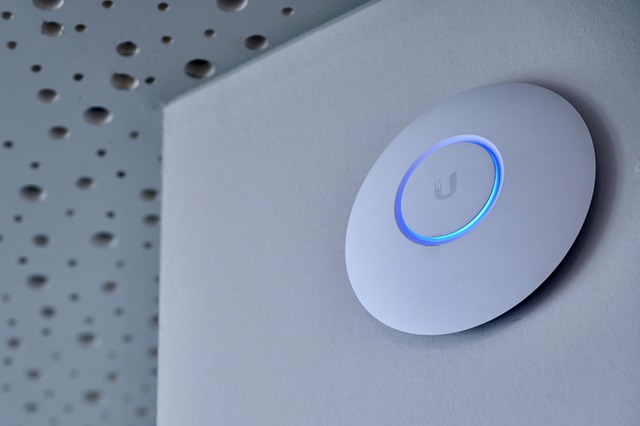
Dead Zone Fixes
We walk the house and measure real signal strength and speed room by room, so the fix is based on what your house actually does rather than a guess about square footage.
Mesh Wi-Fi Installation
A properly placed mesh system so you get one network name, full coverage, and a handoff between units that does not drop your call when you walk down the hall. Quoted flat-fee, with the hardware on its own line.
Replacing ISP Equipment
The all-in-one box from your provider is usually the weakest part of a home network, and often a monthly rental fee on top. We can replace it with equipment you own and configure it properly.
Guest & Kids Networks
A separate network for visitors, and one for the kids with its own rules, so a guest tapping your Wi-Fi password never gets a look at the computer your tax returns live on.
Parental Controls
Content filtering and time limits set at the network level, so they apply to every device on the Wi-Fi instead of needing an app installed on each one and re-argued every few months.
Smart Device Separation
Cameras, doorbells, TVs, plugs, and assistants moved onto their own network, away from your computers and phones. Cheap connected devices are the most commonly attacked things in a modern house.
Speed & Streaming Problems
Working out whether the fault is your Wi-Fi, your wiring, your provider, or a single device hogging the connection - and what you can actually do about each one.
Wired Connections
Making use of network wall jacks you already have, adding a switch, or getting a desk, console, or TV onto a wired connection where that is the better answer. New cable inside finished walls is licensed work we refer out.
We test coverage in the rooms you care about before recommending anything. That is how you avoid spending money on a mesh system when the real problem was a router sitting in a closet.
The gear goes in your name, not on a rental line from your provider, and it keeps working whether or not you ever call us again. Hardware is quoted as its own line, and if you would rather buy it yourself we will give you the exact spec.
Defined installs - a mesh Wi-Fi system, a camera setup, a whole-house smart home job - can be quoted flat-fee once we know the scope, with hardware listed as its own line so you can see what is equipment and what is labor.
Computer Repair & Tech Help
Slow, infected, or just not behaving? We come to your house, figure out what is actually wrong, and fix it while you watch - instead of you dropping the machine off somewhere and waiting two weeks to hear back.
Learn moreSmart Home Setup
Smart devices are easy to buy and surprisingly annoying to live with when they are half set up. We get yours working together, connected safely, and simple enough that everyone in the house can use it.
Learn moreSecurity Cameras
A camera system is only worth having if the footage is there when you need it and you can reach it from your phone without a fight. That is a configuration problem more than a hardware problem, and it is the part we handle.
Learn more